Run every client's fleet from one place.
Service schedules for every client, a dispatch board for your technicians, checklists on their phones, and reports and invoices you can send the same day.
What slows a service company down.
Reports eat your evenings
Every finished visit turns into a report with photos and readings, ready to send. Nobody types it up at night.
Work slips through the cracks
What's due for each client is worked out for you, so PM visits get booked before they're late.
Billing lags behind the work
Parts and labor from the visit go straight onto the invoice. Bill the same day, not at the end of the month.
Checklists your techs can finish on a phone.
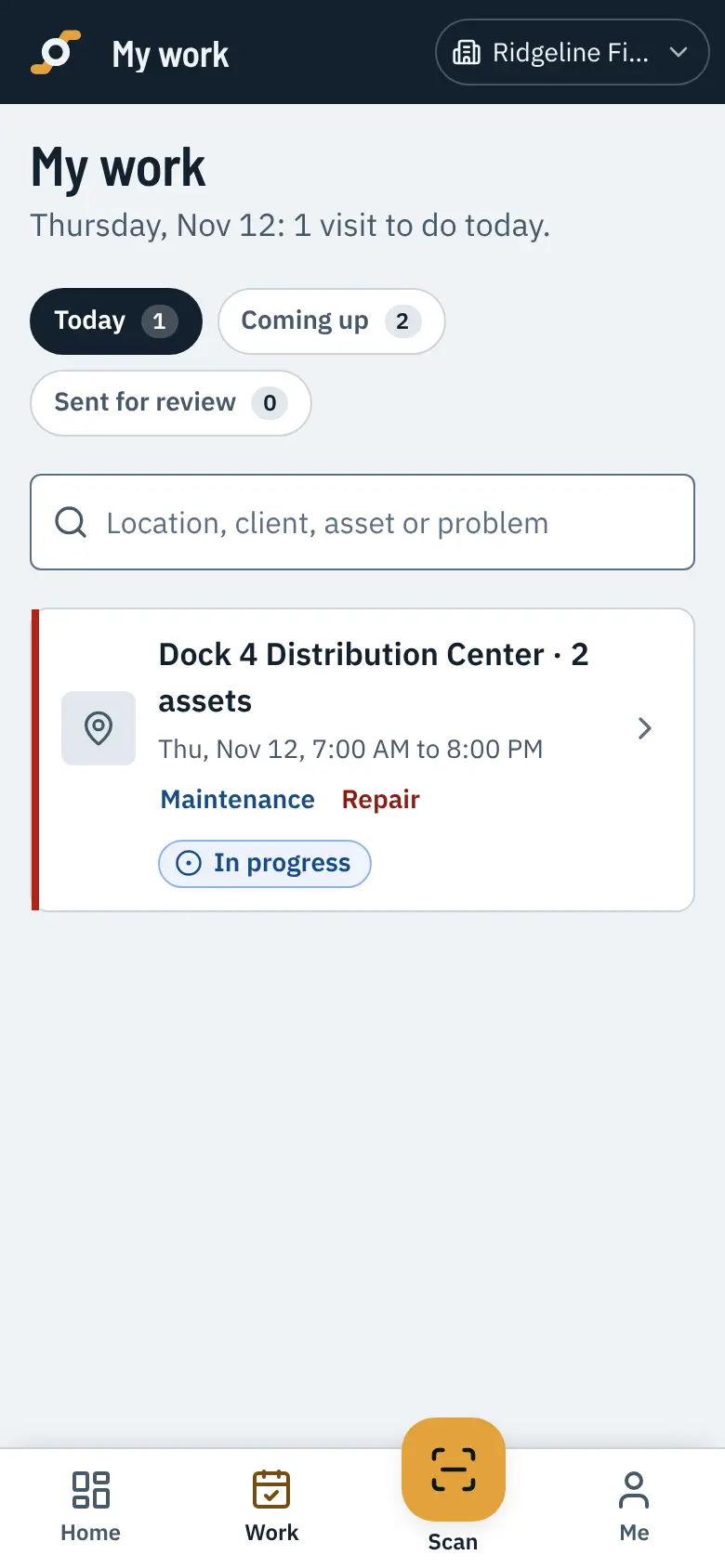
Your techs see today's visits, scan the label to start, tick through the checklist and take photos. Progress saves as they go, even in a basement.
- Checklists with readings, photos and notes
- Keeps working with no signal and catches up later
- Sign off on the spot or send for review
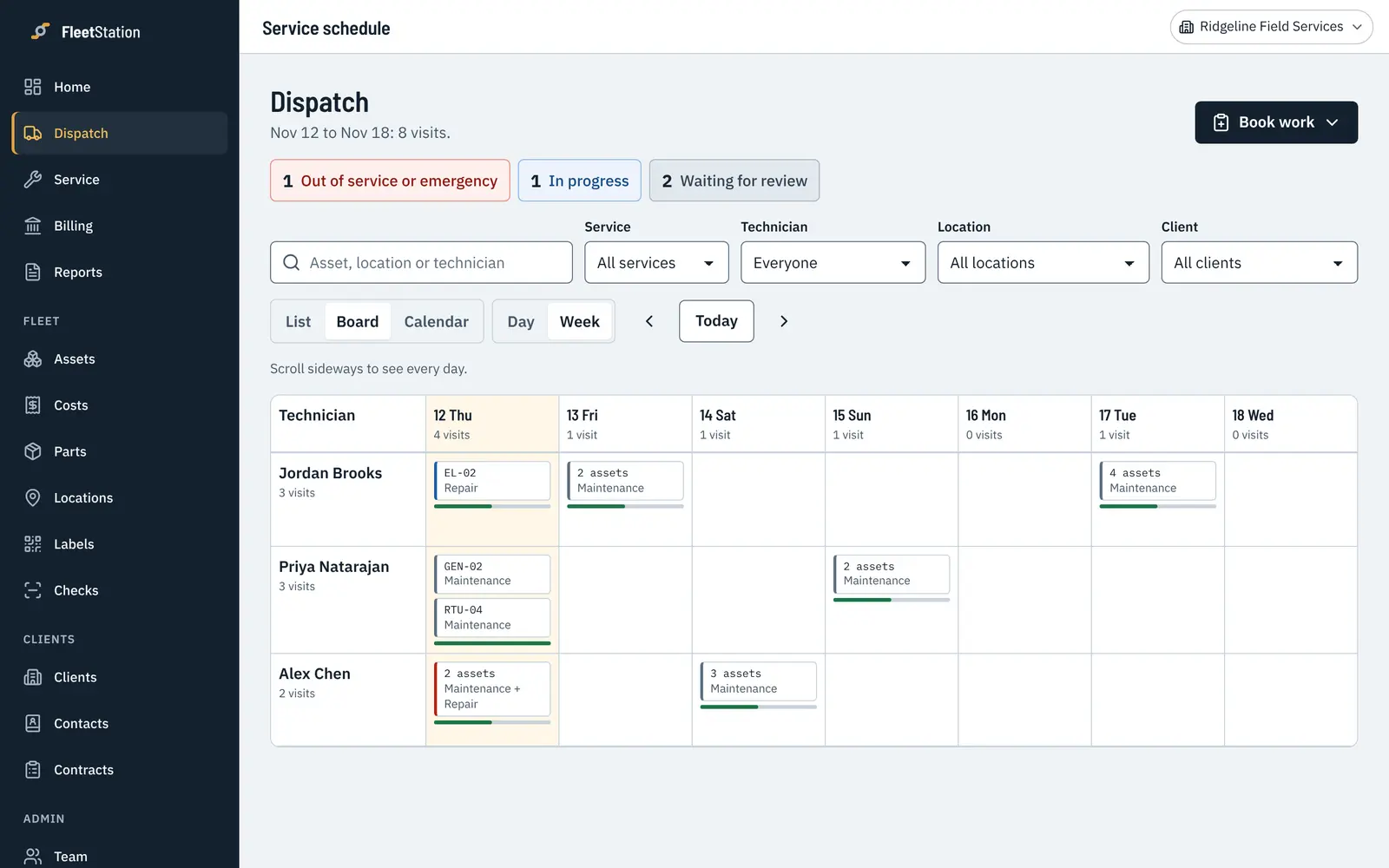
Every technician's week, across every client.
Move work between people and days, and move a whole day's visits when someone calls in sick.
- By technician, location, client or day
- Assign, move or cancel a batch of visits at once
- Each client’s locations and assets kept separate
Get paid for every part and every hour.
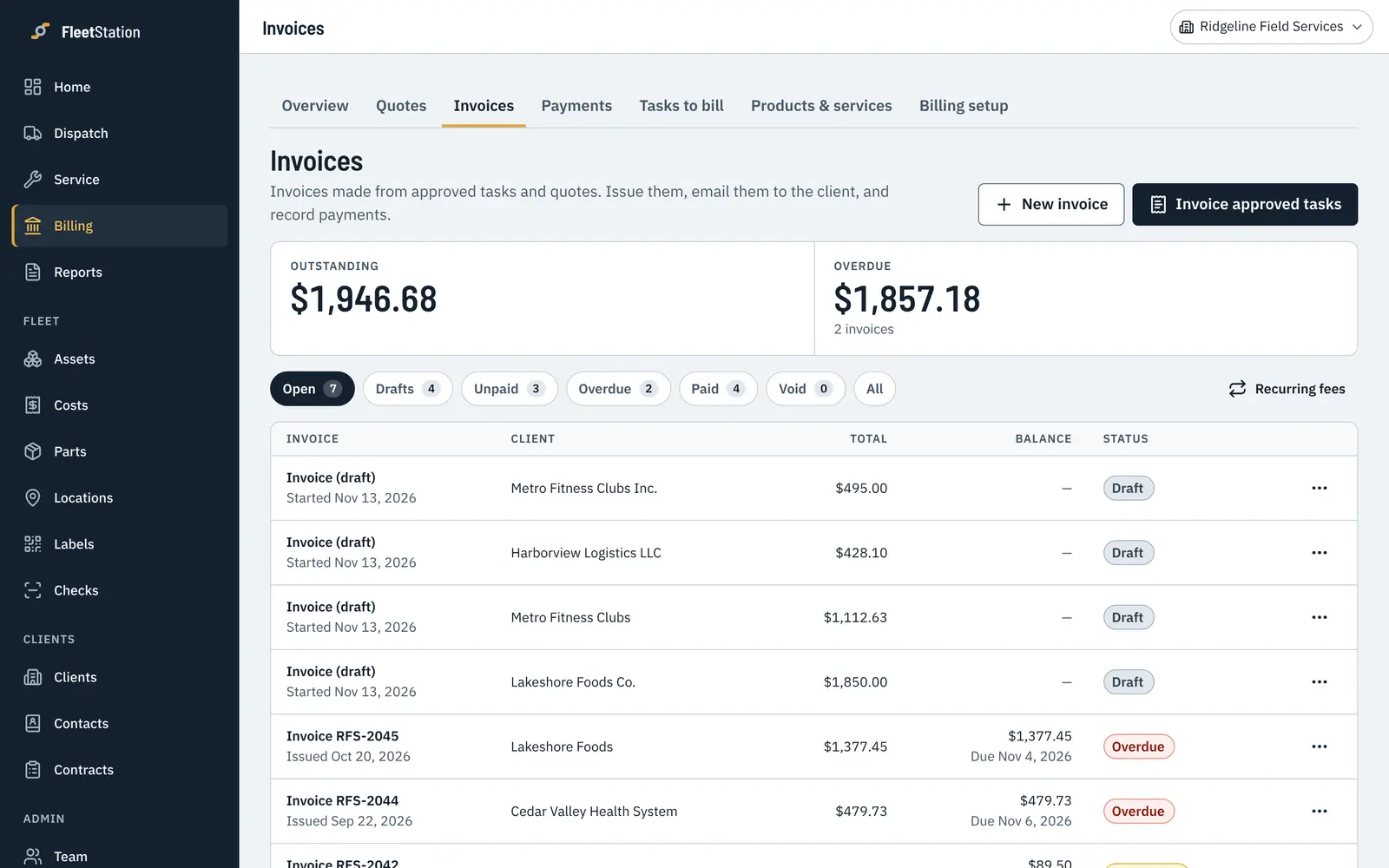
Quotes and invoices start from what your techs recorded on the visit, so parts and hours don't go missing between the job and the bill.
- Your labor rates and your parts prices
- Send quotes for approval with the history attached
- Drafts, sent, paid and overdue in one list
Let clients see the work you do.
Clients get a report for every visit and a summary every month, with your logo on it, and they don't need an account to read them. A client who has seen the work all year is easier to renew.
- One workspace, every client
Each client's sites, assets and contracts, kept apart and all in one place.
- Every technician included
No per-seat fees. Add the whole crew, part-timers and subcontractors too.
- Reports with your logo
Visit reports and monthly summaries in your own report style, ready to send or save as a PDF.
- Free on fleets that invite you
When a client runs their own fleet in FleetStation and invites you, you work in their records at no cost to you.
What it does for a service company.
Switch sides to see what your clients get when they run their own fleet in it.
Service schedules
Set each client's schedules by date, hours, miles or cycles. The due list shows what to book next, across every client you look after.
Dispatch
Plan every technician's week across all your clients. Assign, move or cancel a batch of visits at once when plans change.
Checklists on the phone
Techs tick through checklists on their phones, with readings, photos and notes. If the signal drops, nothing is lost.
QR labels
Label every asset you service. Techs scan to open the right one, and your client's staff can scan to report a problem.
Repairs
Log the repair, send the quote with the asset's history beside it, and book the work once it's approved.
Reports
A report for every visit and a monthly summary for each client, with your logo. Clients don't need an account to read them.
Quotes and invoices
Invoices start from the visit, with parts, labor and your rates filled in. Quotes, invoices and payments each turn on only if you use them.
Cost per asset
See what each client's assets cost you in parts and labor, next to what you billed for them.
Set it up the way your company works.
Every client and contract is a little different. These are yours to set, and you can change them any time.
Your checklists
Write your own steps, add readings like battery voltage or tire depth, and mark which failures are urgent.
Your schedules
Every month, every 250 hours, every 5,000 miles, or a mix of them on the same asset.
Your words
Rename the kinds of service you do, and call your clients customers if that's what you say.
The features you use
Meters, parts, stock, time and materials, quotes and invoices each turn on or off in Settings.
Who does what
Owners, managers, dispatchers, technicians and view-only people, with your own limits on who can approve what.
Your stages
Track where each asset is in your own process, like in recon, on loan or waiting on parts.
What service companies ask us.
What counts as an asset?
Anything you service and want a history for: golf carts, forklifts, scrubbers, generators, vehicles, lifts, HVAC units. You price by how many active assets you have. People are never counted.
Is there a per-user fee?
No. Everyone on your team is included at every size: the office, technicians, managers and people who only read reports.
Can we bring our list of assets from a spreadsheet?
Yes. Upload a CSV or Excel file and match the columns. Your columns don't need to match ours.
Does it work without good signal?
Yes. A visit keeps its progress on the phone and saves when the signal comes back, so a basement or a back lot doesn't stop the job.
Is there an app to install?
It runs in any phone or computer browser, and you can add it to your home screen like an app. App store versions are coming.
Put your next PM route in it this week.
Try every feature free for 30 days with your whole team. No card needed, and you can bring your asset list from a spreadsheet.