Know the state of every asset, whoever does the work.
What's due, what's down, what was done and what it cost. Your own team and your service company work in the same records, so you aren't chasing anyone for paperwork.
Where things usually go wrong.
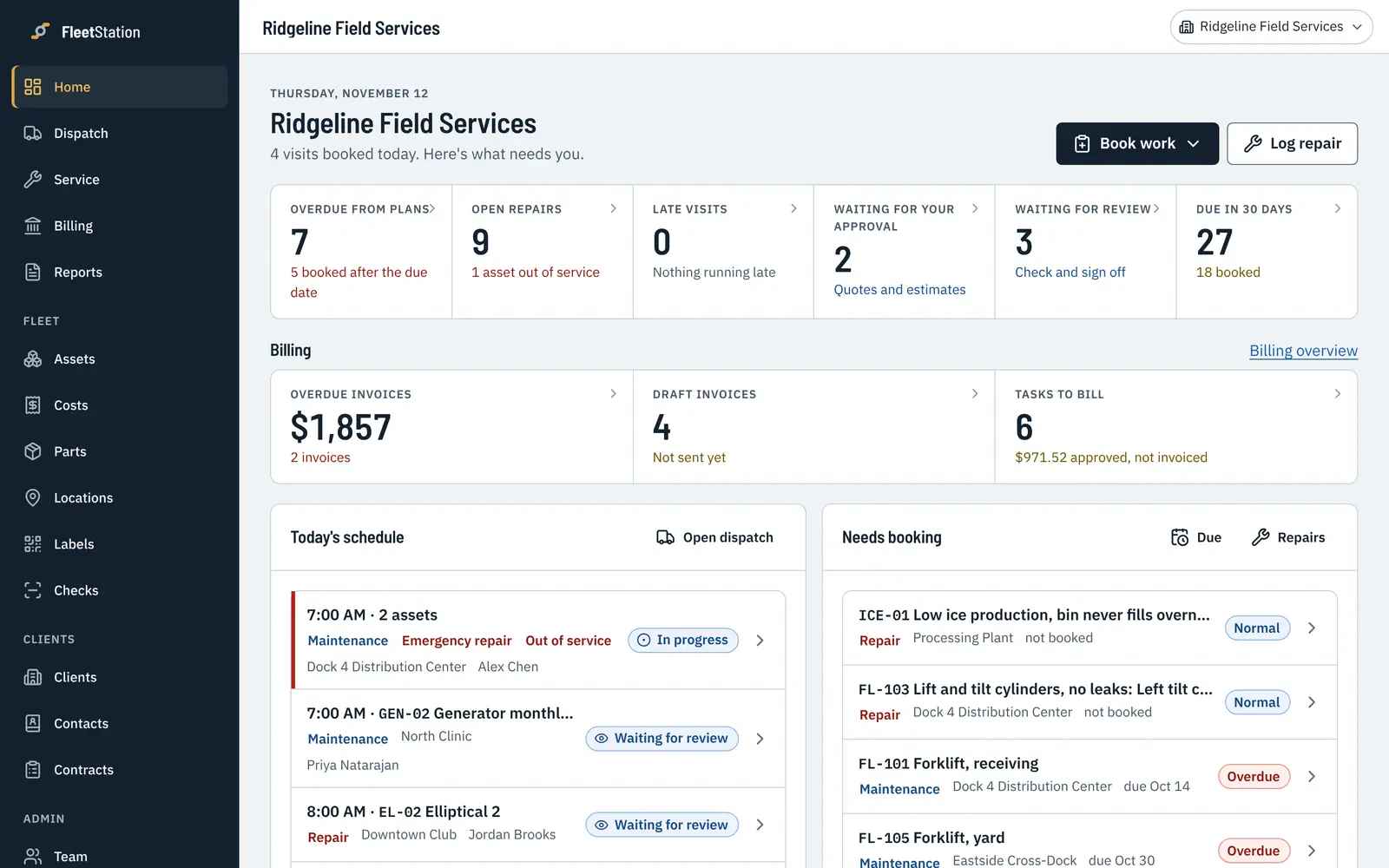
Service lives in someone's head
When the one person who knows the fleet is out, nobody knows what's due. FleetStation keeps the schedule and shows what's coming.
You can't see what the shop did
Your provider's work lands on each asset's record the day it's done, with photos, readings and parts.
Costs are a surprise
Parts, labor and outside work add up per asset, so the expensive ones stand out before the budget meeting.
See what's due before it's late.
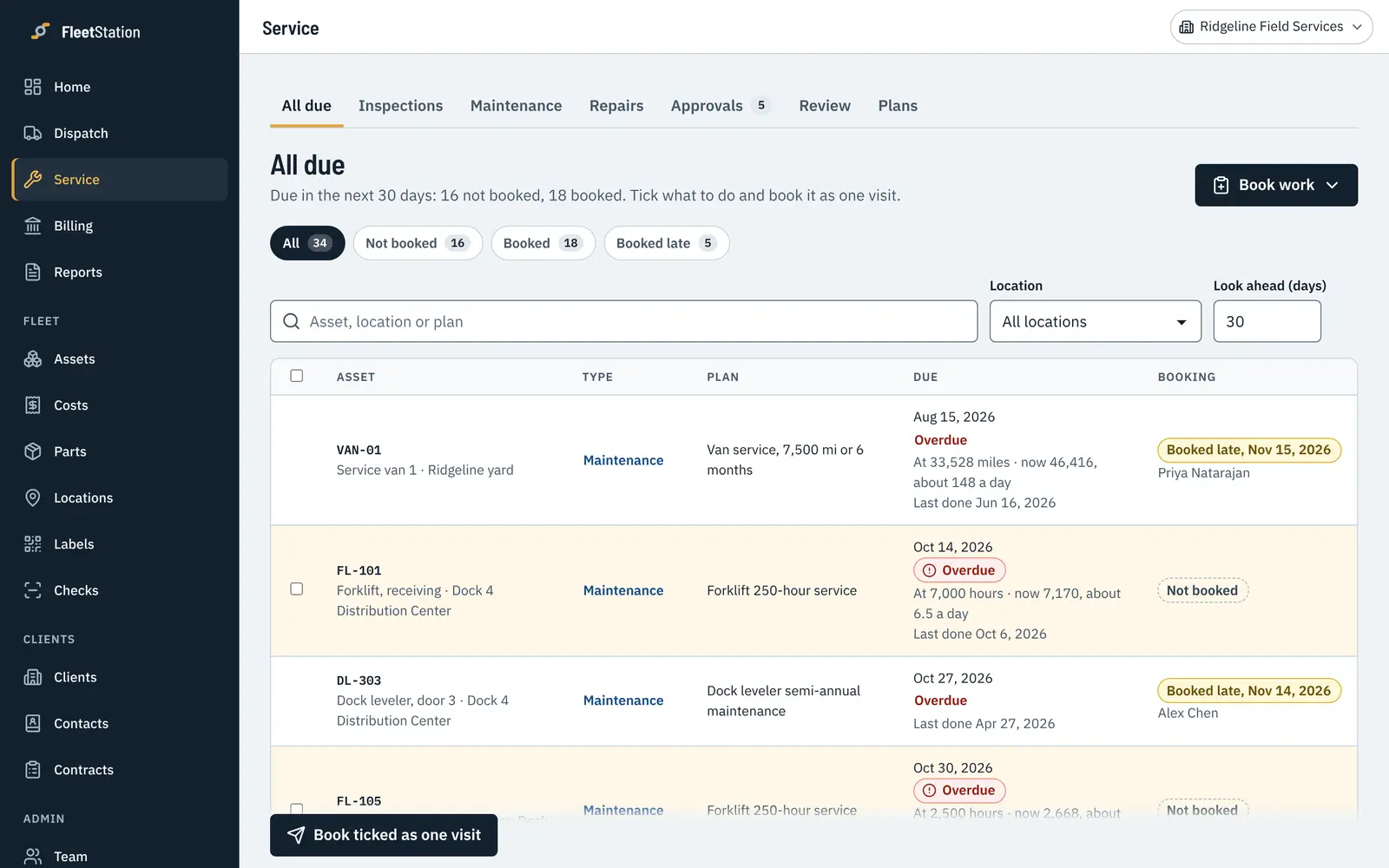
Set each asset's schedule by date, hours, miles or cycles, or a mix. The due list shows what's booked and what still needs a slot, whether your team or your provider does it.
- Overdue and due soon at a glance
- Readings move the next service automatically
- Book the work straight from the due list
A full history for every asset.
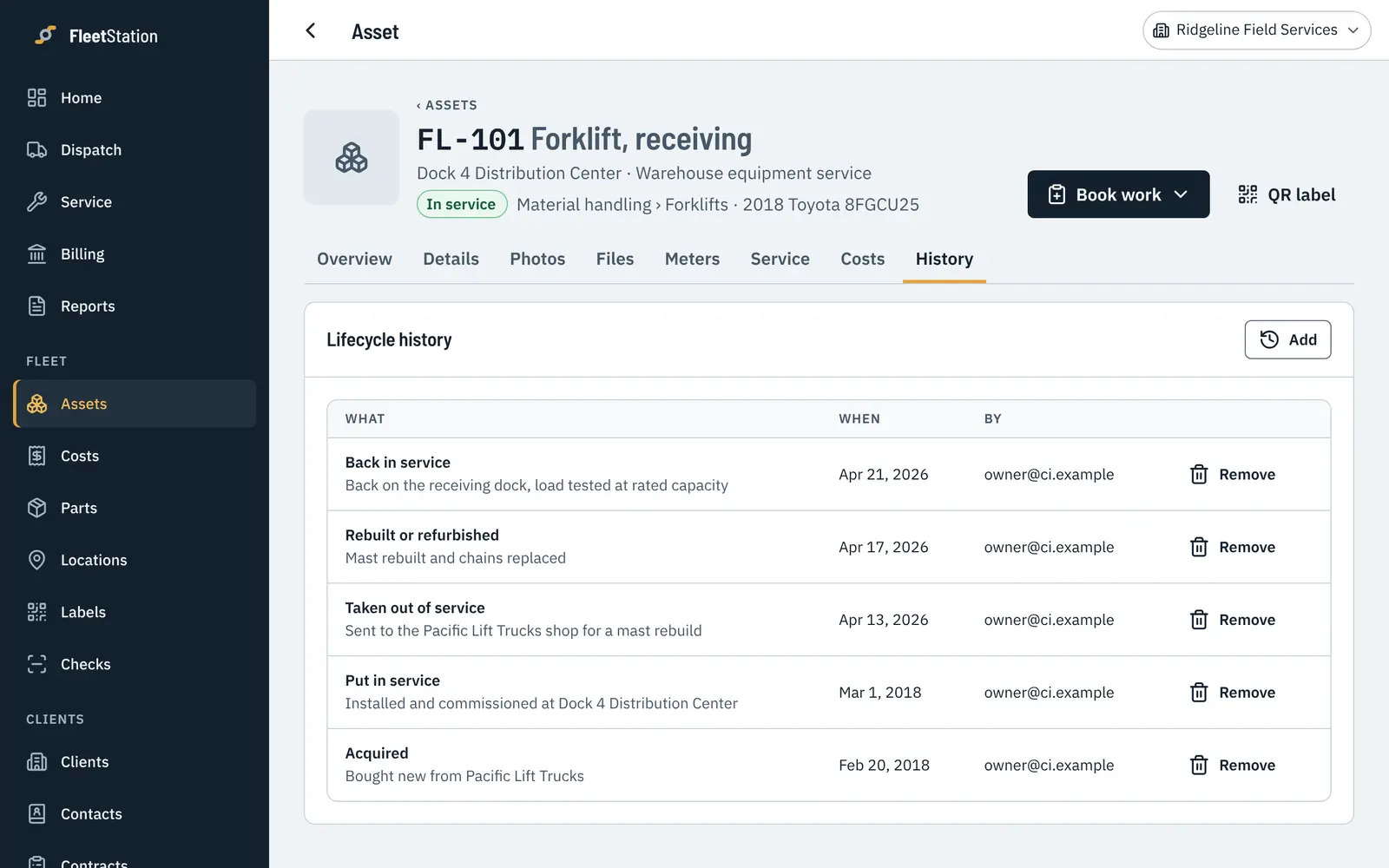
Every service, repair, reading and status change in date order, with who did it. Pull it up for an inspector, a warranty claim or a contract renewal.
- Photos and readings saved on every visit
- Status changes with the reason why
- Export it all as spreadsheets any time
Anyone on site can report a problem.
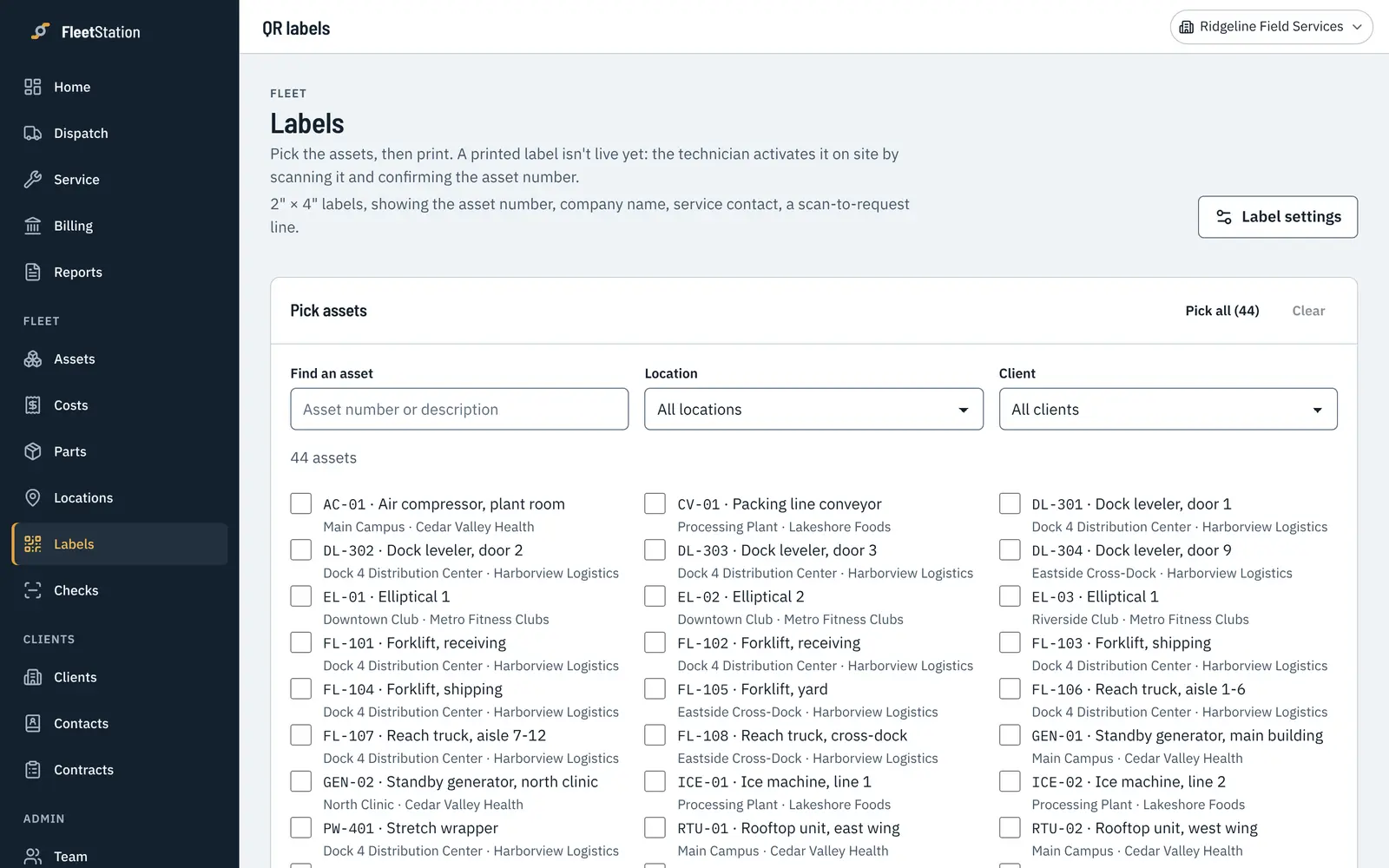
Stick a label on each asset. Scanning it shows the history to your team, and lets anyone else report a problem without an account, so it reaches the right person the same day.
- Print a sheet of labels in one go
- Problem reports land on the repair list
- Mark an asset out of service so it stays parked
Invite your service company in.
They do their work in your records. You see each visit when it's done, approve their quotes, and get a summary every month. You decide who on your team can approve what, and up to how much.
- They join for free on your assets
Assets you already pay for don't count against your provider, so nobody pays twice.
- Approve quotes and repairs
Quotes come to you with the asset's history beside them. Approve and the work gets booked.
- Invoices that match the work
Their invoices are built from the visits they did, so you can check every line against the work.
- Your notes stay yours
Each side keeps its own private notes, prices and contacts.
What it does for a fleet owner.
Whether your own technicians do the work, an outside company does, or both.
Service schedules
Set how often each asset needs service, by date, hours, miles or cycles. The due list shows what's coming up and what's late, whoever does the work.
Dispatch
Have your own technicians? Book their visits by person, location or day. Changes show up on their phones.
Checklists on the phone
Your team or your provider works through your checklists on a phone, with readings and photos. You see the results when the visit is done.
QR labels
Put a label on each asset. Your staff scan it to see the history, and anyone can scan it to report a problem without signing in.
Repairs
Take an asset out of service, set how urgent it is and approve the quote. It stays on the repair list until it's fixed.
Reports
A report for every visit and a monthly summary you can pass to whoever you answer to.
Quotes and invoices
Check your provider's invoices against the visits they did. Charge work back to your own departments if you need to.
Cost per asset
Parts, labor and outside work add up on each asset, so you can see which ones cost the most to keep running.
Set it up to match how you run your fleet.
These are yours to set, and you can change them any time. Your service company works within the setup you choose.
Your checklists
Write your own steps, add readings like battery voltage or tire depth, and mark which failures are urgent.
Your schedules
Every month, every 250 hours, every 5,000 miles, or a mix of them on the same asset.
Your words
Rename the kinds of service you do, and call your clients customers if that's what you say.
The features you use
Meters, parts, stock, time and materials, quotes and invoices each turn on or off in Settings.
Who does what
Owners, managers, dispatchers, technicians and view-only people, with your own limits on who can approve what.
Your stages
Track where each asset is in your own process, like in recon, on loan or waiting on parts.
What fleet owners ask us.
What counts as an asset?
Anything you service and want a history for: golf carts, forklifts, scrubbers, generators, vehicles, lifts, HVAC units. You price by how many active assets you have. People are never counted.
Is there a per-user fee?
No. Everyone on your team is included at every size: the office, technicians, managers and people who only read reports.
Our maintenance is done by an outside company. Does that work?
Yes. Invite your provider and they do their work in your records, so you see each visit when it's done. They don't pay for assets you already pay for.
Can we bring our list of assets from a spreadsheet?
Yes. Upload a CSV or Excel file and match the columns. Your columns don't need to match ours.
What happens to our data if we leave?
It's yours. Export everything as spreadsheets at any time from Settings.
Start with the assets you have.
Try every feature free for 30 days with your whole team. No card needed, and you can bring your asset list from a spreadsheet.